Photo-shoot plan
How to ask a friend to take dating-profile photos
Ask for one small, defined favour: twenty minutes, one easy location and five photo roles. Send the plan before you meet, prepare the phone yourself and finish when promised. Your friend only needs to hold the phone, follow five directions and take several frames.
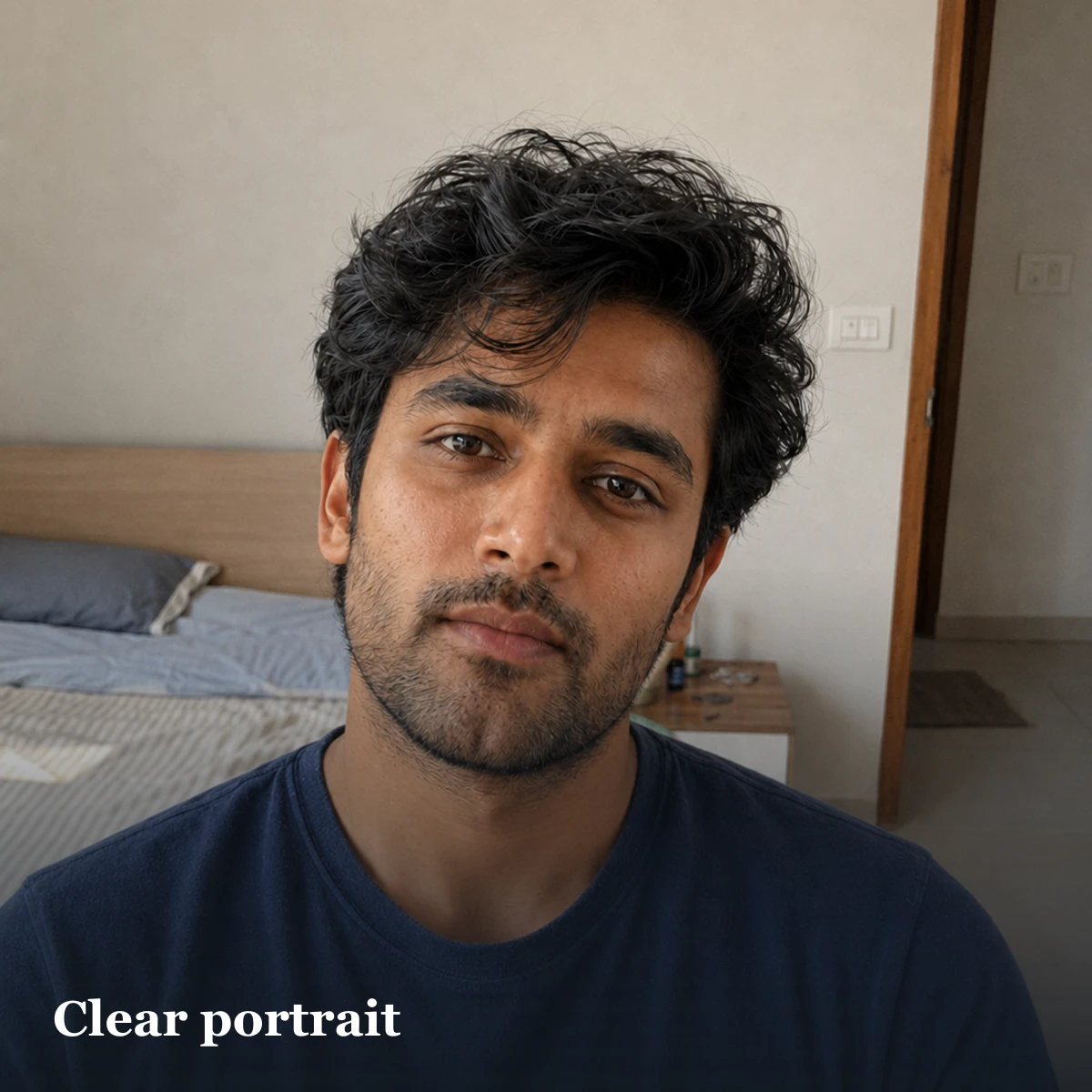
Five frames in twenty minutes
Rear camera, clean lens, short bursts, and enough space around head and feet. Ask questions instead of ordering poses.
The least awkward way to ask
Make the request easy to understand and easy to decline. State the purpose, place, time limit and exact job. Do not send “can you take good pictures of me?” without a plan; that makes the friend responsible for the creative direction and the result.
If “dating profile” feels too personal, be honest without oversharing: “I need some current solo photos for my profile.” If this is already a normal part of your friendship, say the dating-app purpose directly. Either version is better than pretending the photographs are for a different event.
Three messages for three situations
| Situation | Message |
|---|---|
| Close friend | “Can you help me take dating-profile photos for twenty minutes this weekend? I have the place and shot list ready.” |
| Make it reciprocal | “Want to trade quick profile photos? I’ll take yours first, then you can follow the same five-shot list for me.” |
| Already together | “The light is good here. Could you take three short sets while I walk, sit and look back? It should take five minutes.” |
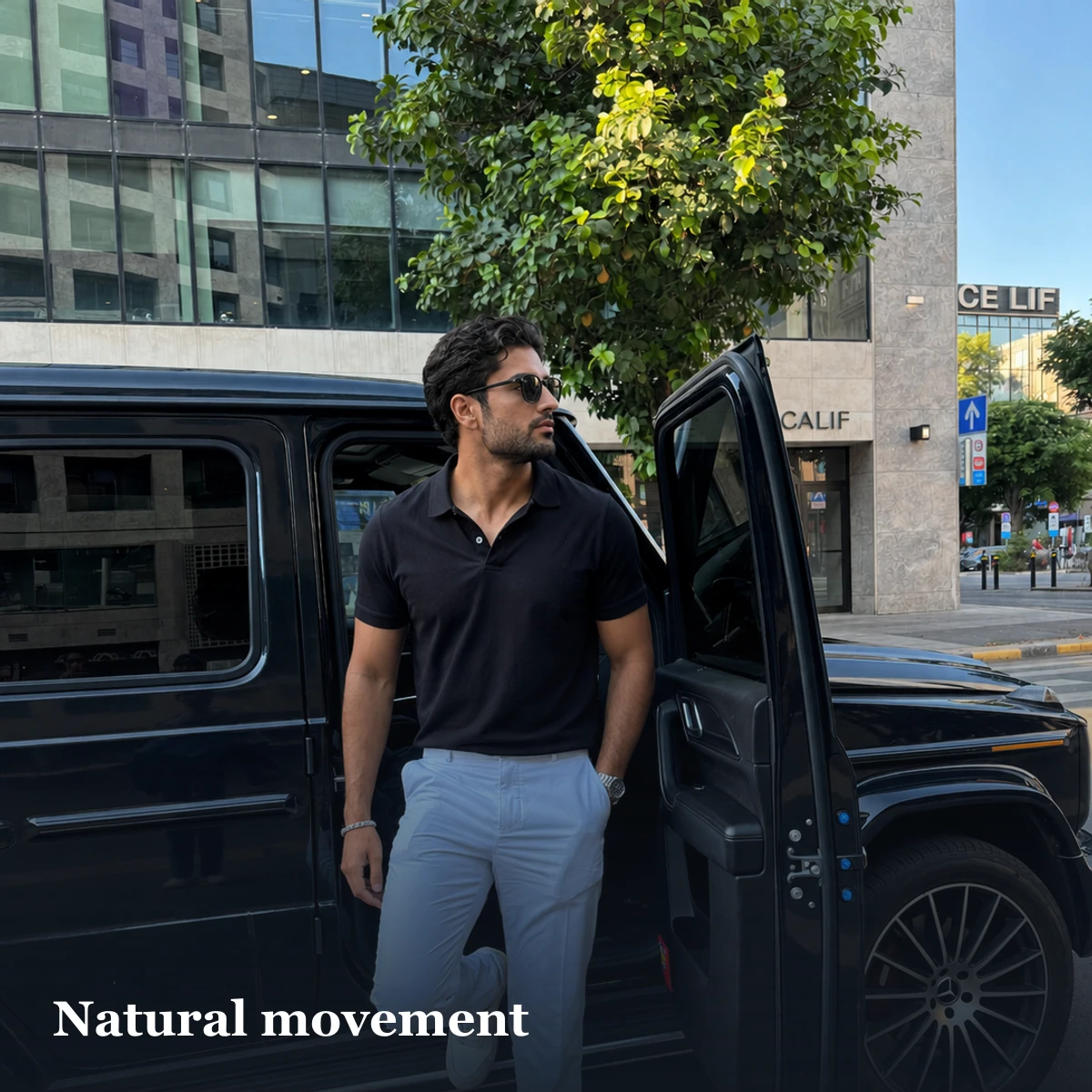
Decide these five things before sending the message
- One nearby place: somewhere you actually use, with a simple background and a safe fallback if the weather changes.
- One starting outfit: clean, current and appropriate to that place.
- Five roles: clear portrait, walking half-body, full body, seated everyday frame and one real activity or dressed variation.
- A hard stop: twenty minutes means twenty minutes. Do not turn a small favour into an unplanned afternoon.
- A backup: if the friend cancels, move the plan rather than pressuring them or publishing weak filler.
The twenty-minute sequence
| Minutes | Photo role | Simple direction | Check only |
|---|---|---|---|
| 0–4 | Clear portrait | Face open shade and answer one real question | Eyes sharp; face bright enough |
| 4–8 | Walking half-body | Walk past the camera, turn and return | Hands and face stay inside frame |
| 8–12 | Full body | Stand, shift weight and adjust a sleeve | Head and feet have crop space |
| 12–16 | Seated everyday | Use the chair, cup or book as you normally would | No private details in background |
| 16–20 | Activity or variation | Do one real action or change the outer layer | It adds a new fact, not a duplicate |
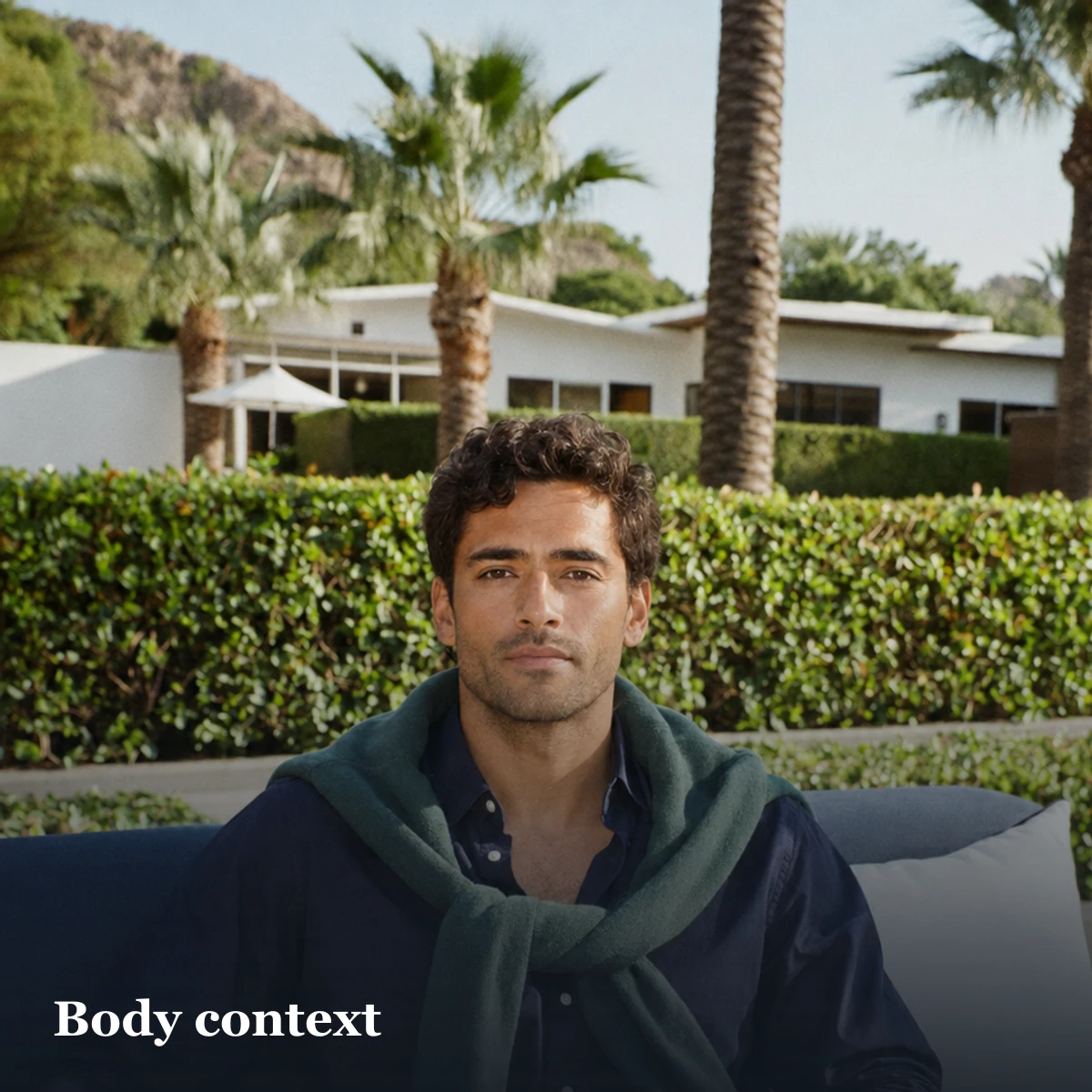
Set up the phone before handing it over
- Clean the lens and open the camera before the session starts.
- Start with the rear camera in normal photo mode at its standard field of view.
- Turn on the grid if it helps the friend keep the phone level.
- Ask for vertical originals with room above the hair and below the hands or feet.
- Take one sharp normal frame before experimenting with Portrait mode or a different lens.
- Check that storage and battery are sufficient before the friend arrives.
Tinder’s current Photo Tips evaluates the uploaded set for variety in activities, settings and poses and can flag similar photos. That supports planning distinct roles, not taking five versions of the same close portrait. It does not reveal a ranking formula or promise that a particular shot will receive more matches.
Give actions, not pose criticism
The friend does not need to become a portrait photographer. Give one action at a time: “walk to that tree and turn back,” “tell me what happened on that trip,” “look for the menu,” or “adjust your sleeve and look up.” Keep the camera working while the subject moves into and out of the direction.
Avoid instructions such as “look attractive,” “smile properly” or “your face is wrong.” They do not tell the subject what to do. If a direction creates tension, change the action or location instead of repeating it more forcefully.
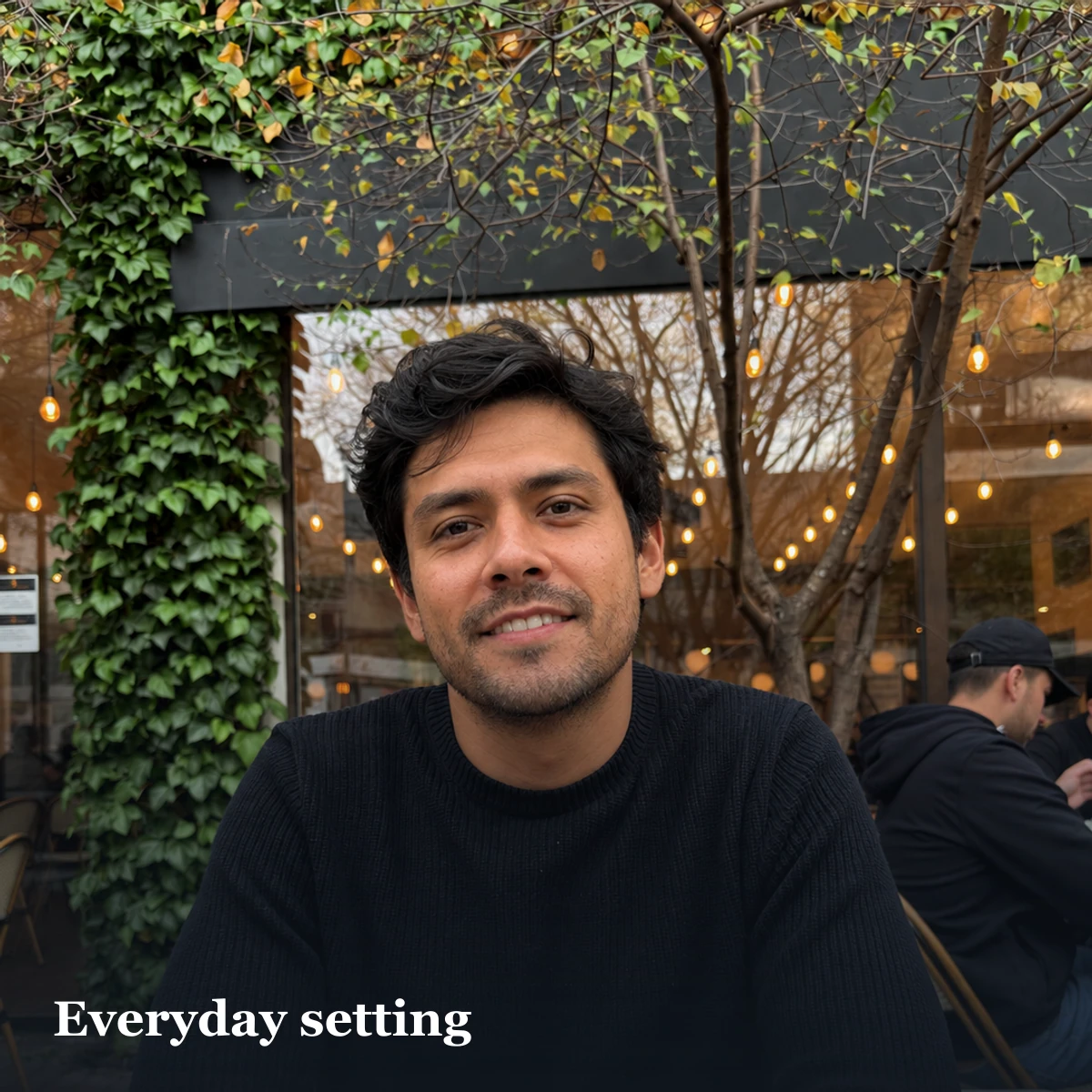
Review once during the shoot, not after every frame
After the first minute, check only focus, exposure, lens cleanliness and crop space. Fix a technical problem immediately, then keep shooting. Stopping after every image makes the session feel like a judgment of the subject rather than a simple capture task.
Do not decide the final profile while standing in the location. The useful frame may be between two deliberate poses, and a phone screen in bright light is a poor place to compare small expression differences.
Select in three passes
- Technical pass: remove blur, closed eyes, accidental crops, repeated bursts and frames with private background details.
- Role pass: keep the strongest candidate for each distinct job rather than the five photographs that are individually most flattering.
- Recognition pass: ask the photographer and one other person which candidates look most like you now and which feel easiest to recognise at phone-card size.
In two online experiments involving 610 participants, unfamiliar selectors chose profile images that produced more favourable first impressions than self-selected images. That is useful evidence for seeking outside selection input. It did not test this twenty-minute workflow, current app distribution, live match rates, conversations or dates.
Protect the friend, bystanders and the truth
- Do not publish the friend or a bystander unless that person has agreed to the public use.
- Check mirrors, screens, badges, number plates, house names and children before keeping a frame.
- Do not reshape the face or body until the result stops matching the person who will arrive.
- Do not stage a fake hobby, workplace, property or social event to fill a profile role.
- Let the subject make the final publishing decision; the friend is a photographer and selector, not the owner of the profile.
If the friend says no or has only five minutes
Accept the answer without negotiation. With five minutes, take one clear portrait, one moving half-body set and one full-body set. A short useful session is better than rushing five weak roles. If nobody is available, use a tripod, rear camera, timer or remote and follow the complete solo dating-photo guide.
Generated photographs are another route only when the face remains recognisable and the scene does not invent a different life. Do not label a generated social scene as a friend-taken real event.
Finish with a clean handoff
Keep the original files rather than messaging compressed screenshots back and forth. If the photographs are on the friend's phone, use the phone's normal full-quality sharing method and delete any copy from their device if either person prefers that. Decide together before a photograph containing anyone else is shared or published.
Thank the friend and stop at the agreed time. Do the first technical rejection pass yourself, then send only a small set of distinct candidates for selection. Asking someone to compare a hundred near-identical frames transfers the hard part of the task back to them.
What this workflow can and cannot do
This plan can make the favour clearer, create role variety and reduce preventable capture errors. It cannot guarantee that the photographs will be selected, distributed or rewarded by any dating app. Current app guidance can describe visible tools and photo-set checks, but it does not expose the complete recommendation system.
The final test is recognition and truth: the image should still look like the person who will arrive, and its people, places and activities should be explainable without a correction. Improve the capture, not the biography.
Sources and method
- Tinder Photo Tips, updated 26 August 2026 and checked 4 September 2026; it describes photo-set variety and similarity checks, not ranking.
- Tinder Photo Selector announcement, published 17 July 2024 and checked 4 September 2026; its natural-light and clean-lens advice is dated platform guidance, not outcome proof.
- White, Sutherland and Burton: Choosing face, open-access experiments; outside selection is not treated as a live-app performance guarantee.
- Bumble: Uploading profile photos and videos, updated 7 September 2026 and checked 9 September 2026.
- Matchframe solo dating-photo guide, updated 22 August 2026.
- Matchframe editorial method and limitations. The scripts, sequence and capture directions are editorial workflow recommendations, not measured match-rate claims.
Frequently asked questions
How do I ask a friend to take dating-profile photos?
Ask for one specific favour: twenty minutes, one nearby location and five photo roles. Send the plan first, prepare the phone yourself and make it easy for the friend to decline.
What exactly should I text my friend?
Try: Could you help me take a few current dating-profile photos on Saturday? I have one nearby location and a simple twenty-minute shot list. I will set up the phone, and I am happy to take some for you too.
What should my friend photograph?
Capture a clear portrait, walking half-body set, current full-body set, seated everyday frame and one real activity or dressed variation.
How can my friend make me look natural in photos?
Use simple actions and real questions instead of telling you to look attractive or hold a smile. Keep shooting as you walk, turn, talk or adjust clothing.
How many photos should my friend take?
Take several short runs for each role, then remove blur and duplicates later. There is no evidence-based universal capture number, so stop when every role has at least one sharp, recognisable candidate.
Should my friend choose my dating-profile photos?
Use their input, but keep final control. Research supports outside selection help for first impressions, but it does not prove a live dating-app outcome or excuse an inaccurate choice.
What if I have no one to take dating photos?
Use a rear-camera timer or remote with the same role sequence, or use truthful generated images that remain recognisable and do not invent social events or lifestyle claims.
Need more than a twenty-minute shoot?
Build a larger scene library from 15–40 current photos and keep only recognisable results.
Open MatchframeAlso worth reading
- Audit your dating-profile photos
A private keep, repair or replace decision tool - How Matchframe researches and checks its guides
Evidence rules, AI assistance, comparisons, updates and corrections - Jay Patel, Matchframe writer
Author profile, evidence boundaries and corrections - Muskan Singh, Matchframe writer
Author profile, evidence boundaries and corrections