Matchframe example library
Dating-profile photo examples, organised by the job they do
Published 18 October 2026 · by Muskan Singh · Editorial method
A useful dating profile is not six versions of the same portrait. This library shows six different photo jobs—identity, full-body context, everyday life, activity, dressed-up range and a warm detail—so you can judge whether a generated pack or real camera roll covers the complete profile.

Six examples, six different jobs



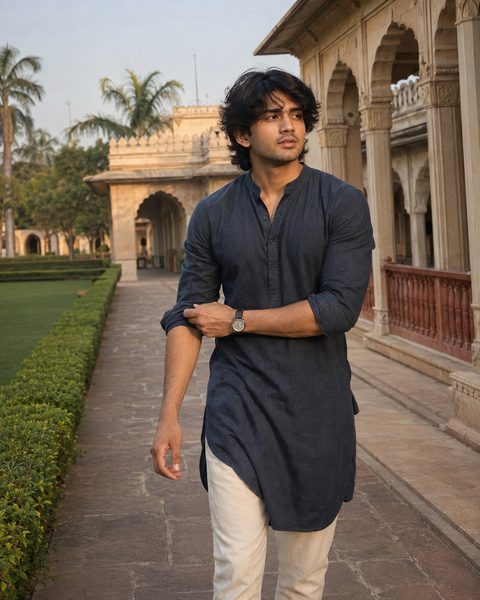
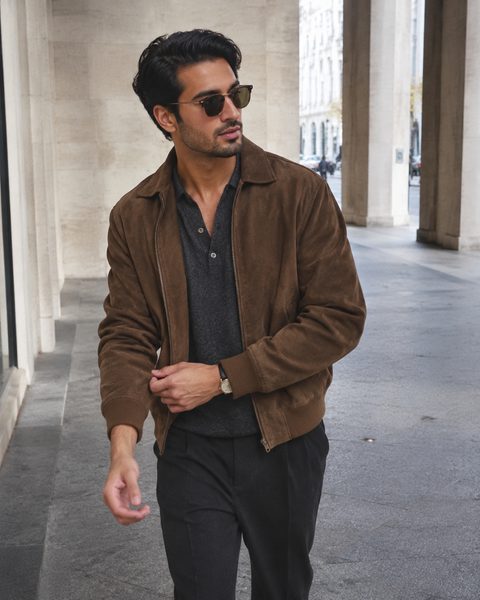
Every image in this gallery is a generated Matchframe product sample. None is presented as a customer, testimonial, real dating outcome or independently measured performance result.
What to inspect before choosing an example
| Check | Pass condition | Reject when |
|---|---|---|
| Recognition | The face, age, hair, beard and body still match the person today | The image looks like a more attractive relative or a different age |
| Truth | The place, clothing, activity and possessions can be explained without correction | The scene invents travel, wealth, work, friends or hobbies |
| Role | The image adds one fact the rest of the set does not | It repeats the same crop, expression, outfit and setting |
| Phone-size clarity | The useful detail survives a small card and normal crop | The face becomes tiny, soft or partly cut off |
| Artifact check | Hands, teeth, glasses, edges, text, reflections and objects look coherent | A visible generation error survives ordinary inspection |
Choose a scene by role, not by fantasy
How to use this library
- Audit the current profile at equal phone-card size.
- Give every current image one primary role.
- Use these examples to brief only the first missing role.
- Compare the new candidate with the existing set, not with a studio mood board.
- Publish only results that remain recognisable, truthful and current.
The library is a planning reference, not a template every person should copy. The strongest set reflects the subject's actual life and gives each image a different reason to exist.
Related Matchframe checks
- Product page: current source-photo requirements, pack sizes, delivery promise and limitations.
- Authenticity guide: recognition, context and app-policy checks.
- Editorial methodology: how generated examples and product claims are labelled.
Build the missing roles, not six duplicate portraits
Review Matchframe's current packs, source-photo requirements, privacy limits and delivery promise before uploading.
Open MatchframeAlso worth reading
- Matchframe pricing in India
Two one-time packs, their inclusions, limitations and buyer checks - How Matchframe works
Inputs, generation, rejection checks, delivery and final selection - Free dating-profile photo lineup planner
Find the first missing role without uploading a photo - Dating profile photos that actually work
The complete guide to choosing, shooting and auditing your set