Guide
Dating profile photos that actually work: a practical guide
Guidance and sources checked 4 September 2026 · by Muskan Singh · Editorial method
The short answer: use a clear, current solo portrait first; then add different photos that show your appearance, everyday life and interests without making a viewer guess. The strongest set is believable at phone size. There is no universal six-photo formula or secret pose, and no photo change can guarantee matches.
| Question | Best practical answer | Why it matters |
|---|---|---|
| What should go first? | A recent solo portrait with an unobstructed face | Recognition comes before lifestyle storytelling |
| How many photos? | Meet the app's requirement, then keep only distinct, credible frames | Tinder, Bumble and Hinge do not publish one shared ideal count |
| What roles should the set cover? | Clear face, body and style, activity or interest, and ordinary context | Each frame should answer a new question |
| What should you remove first? | Duplicates, old images, hidden faces and misleading edits | More photos do not repair weak or contradictory evidence |
| How should you choose? | Compare at app size and ask another person to shortlist | Owners can be poor judges of their own profile image |
What makes a good first dating-profile photo?
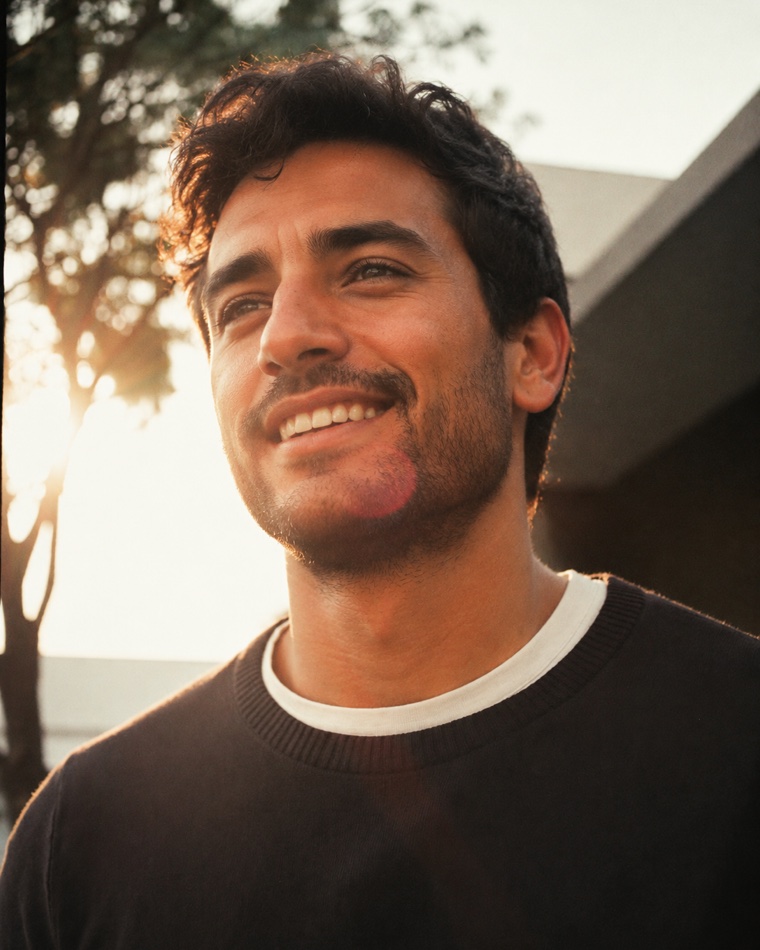
A good opener makes identification effortless. Your face is large enough to read on a phone, your eyes and main features are not hidden, and the image looks like you now. Use a solo head-and-shoulders or waist-up frame. Keep the background quieter than your face and check the crop after the app has processed it.
That does not mean every opener needs direct eye contact, a toothy grin or studio lighting. Those are creative choices, not platform laws. It does mean a group photo, helmet, dark sunglasses or distant travel scene usually asks the viewer to solve the wrong problem first. Put the impressive context later, once identity is clear.
How many dating-profile photos should you use?
Use enough strong photos to satisfy the app and show a coherent person; do not fill slots with repetition. Current official guidance differs by platform. Hinge says members need four to six photos depending on local requirements. Bumble publishes aggregate platform data comparing profiles with six and three photos, but that association is specific to Bumble and does not prove that adding any three images causes more likes. Tinder's current Photo Tips may suggest adding a certain type of photo based on the existing set rather than publishing one universal ideal.
| App | What its current public guidance says | What it does not establish |
|---|---|---|
| Tinder | Photo Tips looks at similarity and variety across activities, settings and poses | A fixed perfect count, sequence or private ranking formula |
| Bumble | Its own aggregate data page reports an association between six photos and more likes than three | That six is causal, ideal for every person, or transferable to every app |
| Hinge | Members need four to six photos depending on local requirements | That every market has six slots or that one lineup guarantees Likes |
The practical rule is simpler: first meet the app's current requirement. Then keep a frame only if it adds information, increases confidence in what you look like, or makes your life easier to understand. Four strong, permitted photos can be more useful than a longer set padded with near-duplicates, where the app allows that choice.
Which photo roles create a complete set?
Roles are more useful than a rigid slot formula because they survive app changes. Start with the identity role, then cover the gaps in your own camera roll.
| Role | What the photo should prove | Common failure |
|---|---|---|
| Clear portrait | Your current face and an approachable expression | Distant crop, sunglasses, another person in frame |
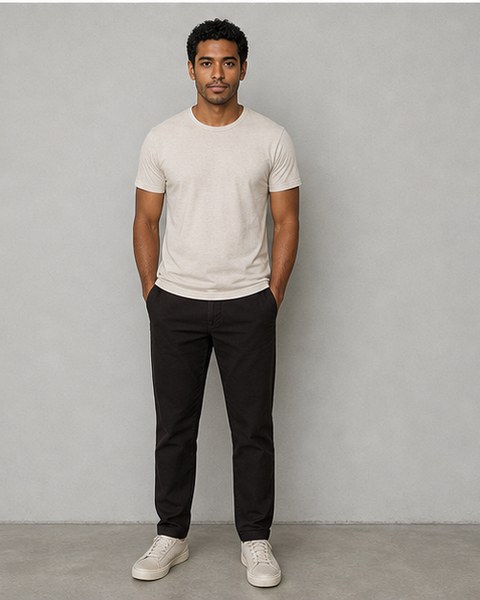
| Body and style | Current build, posture and how you normally dress | Old formal photo or mirror clutter |
| Interest | One activity you really do | Borrowed prop or action too small to understand |
| Everyday context | What spending ordinary time with you might look like | Every image is a holiday landmark |
| Social context | You can exist naturally around other people | Group confusion or publishing friends without consent |
| Personality | A specific detail that can start a conversation | A generic staged scene that says nothing personal |
You do not need one of every role, and one honest frame can cover two. A photo of you cooking for friends may show activity, style and social warmth at once. The set should feel varied without looking as if six different people created it.
How do you choose the best photos from your camera roll?
Make selection a separate task from taking photos. Pull 15 to 30 candidates into one album, remove technically unusable frames, and compare the survivors side by side at roughly phone size. Do not start by asking which photo makes you look most attractive. Start with which photo is clearest, most current and most representative.
- Reject contradictions. Remove photos that show a materially different hairstyle, facial hair, weight, age or lifestyle unless the change is explained and still useful.
- Reject weak mechanics. Remove severe blur, crushed shadows, tiny faces and crops that cut through important features.
- Group by role. Put portraits together, full-body frames together and activity scenes together.
- Choose within each role. Compare like with like instead of letting a dramatic travel image beat a clear opener for the wrong reason.
- Ask another person for a shortlist. Give them the job description for each slot, not just “Which one looks best?”
A 2017 profile-image selection study across two internet experiments, with 610 participants in total, found that unfamiliar people selected images that produced more favourable first impressions than self-selected images. The research included dating, professional and Facebook contexts. It used a largely student-sourced Facebook image set and impression ratings—not current app matches—so it supports getting an outside shortlist, not promising an outcome. The paper also has a published 2021 correction, which we checked alongside the original.
How should the first photo differ from later photos?
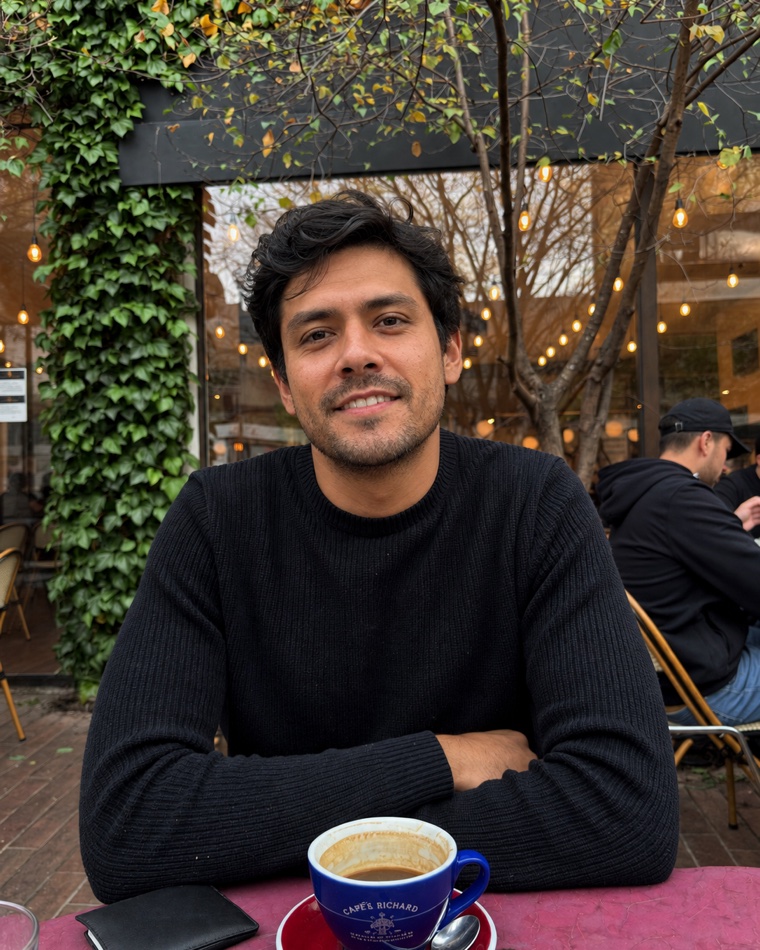
The opener should minimise uncertainty. Later images can add texture. A distant climbing frame, dog photo, dinner scene or group shot can be useful later because the clear portrait has already established who you are. Repeating the same face angle six times adds less confidence than showing the same current person across different distances and contexts.
Sequence the set so that no early frame creates a major contradiction. If photo one is clean-shaven and photo two has a large beard, a viewer may wonder which is current. If every scene looks like a professional campaign, the profile may feel less believable even when each image is polished. Consistency of identity matters more than consistency of colour grading.
What lighting works with an ordinary phone?
You do not need a new camera. You need light that lets the existing camera see your face. Indoors, stand near a window and turn until both eyes are readable without one side of the face disappearing. Outdoors, use open shade near the edge of a building, balcony or tree canopy. Step away from a patchy background before you take the shot.
- Window light: face towards or slightly across the window; turn off a conflicting ceiling bulb.
- Open shade: keep bright sky in front of you, not directly behind your head.
- Overhead sun: move into shade instead of forcing the eyes open and repairing shadows later.
- Night scenes: use a steady phone and a nearby soft light; do not let the background exposure turn the face black.
“Golden hour” is an option, not a requirement. Clean shade at 10 a.m. can beat orange sunset light when the face is easier to read. Compare the actual file after capture rather than treating a time of day as a guarantee.
What distance and camera angle look most natural?
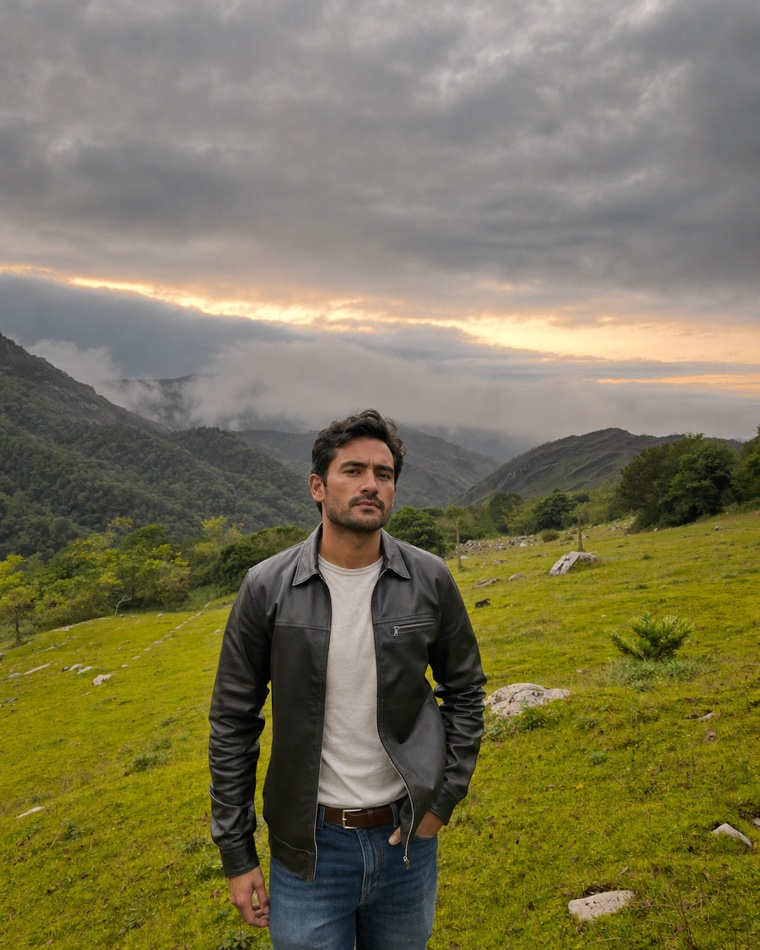
Very close wide-angle selfies can exaggerate whatever is nearest the lens. Increase camera-to-face distance, use a timer or ask another person to hold the phone, then crop lightly. Start around eye level with the standard rear camera and make small changes. A slight three-quarter turn may add shape, but it is a portrait starting point rather than a dating-app rule.
Avoid using digital zoom simply to imitate a long lens; quality can fall quickly. If your phone offers a genuine longer camera in good light, compare it with the standard camera. The winning file is the one that remains sharp and recognisable after the app crop, not the one with the most technical-sounding setting.
Should you smile, look away or use a candid?
Use an expression you can reproduce in real life. A relaxed smile can communicate warmth, while a neutral frame can work when the eyes and posture do not look closed. A candid is useful only when it is still readable and truthful; blur plus looking away is not automatically authentic.
Do not force every photo into the same expression. Keep the opener easy to read, then allow later frames to show concentration, laughter or an off-camera moment when the scene explains it. Avoid universal claims that one exact smile, jaw angle or eye direction is “the algorithm's favourite.” The current app sources reviewed for this guide do not publish such a formula.
Do group photos, pets and travel pictures help?
They can add information, but only after they pass an honesty test. A dog photo is useful when the dog is genuinely part of your life. A travel photo works when you are visible and the place says something more specific than “I travel.” A group shot is useful only when you are easy to identify and the other people agreed to be shown.
| Photo type | Keep it when | Remove it when |
|---|---|---|
| Group | You are immediately identifiable and have consent | It is first, crowded or makes someone compare faces |
| Pet | The animal is yours or honestly part of your life | It is borrowed as a prop or hides most of you |
| Travel | Your face remains readable and the story is real | The landmark is the subject and you are a speck |
| Activity | The action is a genuine interest and understandable | Safety gear hides you or the scene is staged fiction |
How much editing is too much?
Editing should repair the file, not rewrite your identity or history. Cropping, exposure, white balance, minor straightening and restrained colour adjustment are usually easy to understand. Reshaping facial structure, changing body proportions, replacing an ordinary location with a false luxury setting or removing current features can create a misleading profile.
For AI-generated or AI-assisted images, use a stricter test: does this still show the same current person, a believable scene and something true about their life? A photorealistic file can still be false. Matchframe's own standard is that identity consistency, scene truth and platform suitability must be checked separately from sharpness or beauty.
If you use a generated image, pair it with current real photos and do not use invented events, owned items, uniforms, workplaces, pets or travel as personal evidence. Read the AI dating-photo authenticity guide before uploading it.
What do Tinder, Bumble and Hinge tools actually do?
Platform tools are advisory and app-specific. They should not be collapsed into one imaginary “algorithm.” Tinder's Photo Selector helps select profile photos from a device; Photo Tips reviews a current set for similarity and variety; Photo Insights offers performance information where available; and Photo Enhance can make permitted visual adjustments. These are distinct features with distinct limits.
Bumble's current support describes Best Photo and its own feedback and upload flows. Hinge describes Top Photo separately and currently requires four to six photos depending on local rules. Availability can vary by device, market and account. None of these public pages tells us the complete private ranking system or promises that following a suggestion will create a match.
Why can a technically good profile still be quiet?
Photos are only one part of the system. A strong set cannot repair restrictive preferences, an incomplete profile, unclear intentions, poor prompts, low local activity or an account visibility setting. Before replacing every image, confirm that the profile is visible, complete and accurate.
- Check whether the app says the profile is active and discoverable.
- Review location, age range, distance and deal-breaker filters.
- Make the first prompt or bio line specific enough to answer.
- Replace the weakest photo, not the entire set, and observe what changes.
- Avoid deleting and recreating accounts to chase an unverified reset theory.
Our no-matches diagnosis separates visibility, photo quality, profile completion and messaging so that you do not blame the wrong layer.
What is the fastest useful photo audit?
Set a fifteen-minute timer and inspect the live profile, not the original camera files.
- Minute 1–3: screenshot the full profile in preview mode and mark anything old or contradictory.
- Minute 4–6: zoom out. Confirm your face survives the opener's small crop.
- Minute 7–9: label every photo by role. Circle duplicates.
- Minute 10–12: check consent, scene truth, current appearance and heavy edits.
- Minute 13–15: choose one keep, one repair and one replacement brief.
Use the free dating-profile photo audit if you want the same sequence without uploading or storing your answers. If you need replacement frames, the solo phone workflow and friend-shoot plan turn the gaps into a shot list.
Which popular rules should you ignore?
| Popular claim | Better decision rule |
|---|---|
| Everyone needs exactly six photos | Follow the current app requirement, then optimise for distinct useful roles |
| Never use any selfie | Reject distortion, clutter and repetition; judge the actual frame |
| A dog, suit or travel photo always wins | Use context only when it is true, readable and personally relevant |
| Professional-looking means better | Balance image quality with current identity and believable everyday context |
| One pose unlocks the algorithm | Current public sources support clarity and variety, not a universal pose formula |
| More editing fixes a weak photo | Reshoot bad light or distance; do not manufacture identity or history |
Final dating-profile photo checklist
- The first image is solo, current, clear and recognisable at phone size.
- The set meets the app's current requirement without padding.
- Every later frame adds a distinct role or useful detail.
- At least one image shows current body and style honestly.
- Activities, pets, locations and social scenes are true to your life.
- Other people shown have agreed, or their identity is protected.
- Lighting and crop help recognition rather than hiding flaws.
- Edits do not change facial structure, body, age or personal history.
- Another person has helped shortlist the opener.
- You have previewed the final profile inside the actual app.
Sources and evidence limits
- Tinder: Photo Tips, updated 26 August 2026; used for current set-variety guidance, not a ranking formula.
- Tinder: Photo Selector, updated 7 August 2026 and checked 9 September 2026; used to distinguish selection from performance and enhancement features.
- Bumble: Uploading profile photos and videos, checked 4 September 2026; used for current upload and variety guidance.
- Bumble: what its data says about adding photos, updated 19 March 2026; the reported six-versus-three association is not treated as causal or universal.
- Hinge: How do I edit my profile?, updated 28 July 2026; used for the current four-to-six-photo requirement depending on local rules.
- White, Sutherland and Burton (2017): Choosing face, two internet studies with 610 participants; used only for the value of outside photo selection. The 2021 correction was reviewed. This was not a current dating-app outcome experiment.
Matchframe reviewed the five competitor guides captured for this update to identify common coverage gaps and unsupported absolutes. Competitor claims were not treated as evidence. Recommendations above are derived from current first-party platform documentation, bounded primary research and a role-based editorial method. No photo setup can guarantee likes, matches, conversations, dates or relationships.
Frequently asked questions
What should my first dating profile photo be?
Use a current solo head-and-shoulders or waist-up photo in which your face is unobstructed, large enough to read on a phone and easy to recognise. A group, helmet or distant travel scene can work later after identity is clear.
How many photos should a dating profile have?
There is no universal number across dating apps. Meet the app's current requirement, then keep only photos that add a distinct role or increase confidence in what you look like. Hinge currently requires four to six depending on local rules; other apps publish different guidance.
What types of dating-profile photos should I include?
Start with a clear portrait, then cover useful roles such as current body and style, one real interest, ordinary lifestyle context and a specific personality detail. A social or pet photo is optional and should be truthful, identifiable and used with consent.
Should I use selfies on a dating profile?
Judge the actual selfie rather than following an absolute ban. Remove it if close wide-angle perspective distorts the face, the background is cluttered or the set repeats the same angle. A timer or another photographer usually makes camera distance easier.
Should I ask someone else to choose my profile photo?
Yes, an outside shortlist can help. A 2017 profile-image study found that unfamiliar selectors chose images that produced more favourable first impressions than self-selected images, although it used impression ratings rather than current dating-app outcomes.
Can AI-generated photos be used on dating apps?
Use a strict truth test: the image should preserve your current identity and must not invent events, possessions, workplaces, pets or travel as evidence about your life. Platform policies and features vary, so check the current rules and pair any generated image with current real photos.
Why am I not getting matches even with good photos?
Photos are only one layer. Check that the profile is visible, complete and accurate; review location and preference filters; improve prompts; and replace one weak item at a time. A quiet profile is not proof of a photo problem or a shadowban.
How often should I update dating-profile photos?
Update a photo whenever it no longer represents your current face, body, hair, style or lifestyle. Recency is better judged by present-day accuracy than by a rigid age cutoff.
What editing is acceptable for dating photos?
Cropping, exposure, white balance and restrained colour correction can repair a file. Avoid changing facial structure, body proportions, age or personal history. If an edit would make a date feel misled, do not use it.
Short on usable photos?
Matchframe turns the photos already on your phone into a full set built for dating apps, made to look like you and not like someone else.
Open MatchframeAlso worth reading
- No matches on dating apps as a man?
Check eligibility, pool, photos and prompts without guessing about shadowbans - Dating app photo ideas for men
One strong set, ordered for Tinder, Hinge and Bumble - Are AI dating photos catfishing?
The recognition test and current Tinder, Hinge and Bumble guidance - AI dating photos vs a photographer in India
Cost, effort, realism and when each choice is better