Free browser tool
Dating-profile photo lineup planner
Tool published 18 October 2026 · by Muskan Singh · Editorial method
Mark the photo roles your current profile already covers. The planner recommends the first missing role to shoot, select or generate next. It does not request a photo, score a face or predict matches.
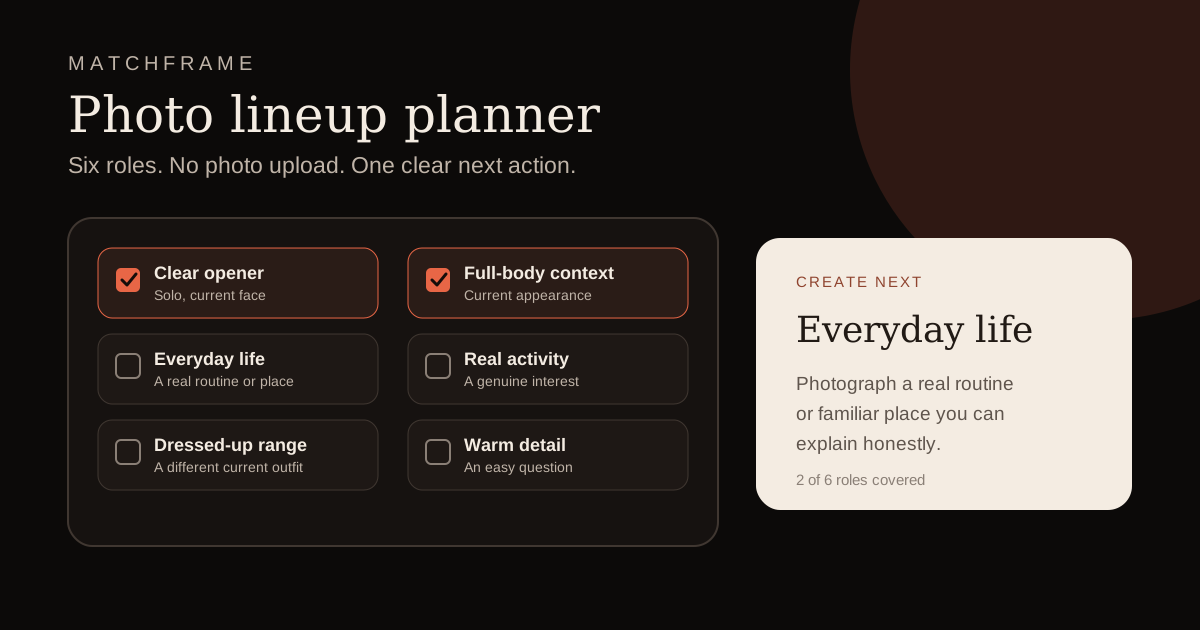
Which roles does your profile cover now?
Check a role only when one current, truthful photo communicates it clearly at phone-card size. One image gets one primary role.
Start by checking the roles you already have.
The planner will recommend the first missing role. Nothing is saved or sent.
This checklist runs only in this tab. It does not request a photo, use local storage or transmit the selections.
Why plan by role?
More files do not automatically create a stronger profile. A useful lineup establishes identity first, then adds different information about current appearance and life. Six near-identical portraits still leave the same gaps.
The six roles
| Role | What it should communicate | Common substitute that fails |
|---|---|---|
| Clear opener | Current, solo, recognisable face at phone-card size | Group crop, sunglasses or an old filtered selfie |
| Full body | Current proportions and clothing with the face still readable | A distant travel frame where the person is tiny |
| Everyday life | A real routine or familiar place | A staged laptop, rented set or invented luxury context |
| Activity | Something the person genuinely does | Borrowed equipment or a hobby used only for the photo |
| Dressed range | A different current outfit or real occasion | An old wedding frame that no longer represents appearance |
| Warm detail | A pet, expression, place or object that creates an easy question | A generic portrait with no new information |
Use the recommendation
If a role is missing, create that role before replacing an image that already passes. If all six roles are covered, compare duplicates and keep the clearer, more current and more truthful frame. The output is a production brief—not an app-ranking formula.
Limits of the planner
The tool cannot see image quality, facial expression, recency, consent, authenticity, app moderation or distribution. Run the six-question photo audit when you need a wider keep, repair or replace decision. Always preview the final images inside the current dating app before publishing.
Method and related guidance
- Complete photo guide: identity, variety, light, crop and ordering.
- Six-role planning guide: role definitions and current app guidance.
- Editorial method: why Matchframe publishes decision tools without outcome claims.
Frequently asked questions
Does the lineup planner upload my photos?
No. It does not request an image. The six checkbox selections remain in the current browser tab and are not stored or sent.
How many photo roles does it check?
It checks six roles: a clear opener, full-body context, everyday life, a real activity, dressed-up range and one warm detail.
Does covering all six roles guarantee more matches?
No. Role coverage can make a profile more informative, but the tool cannot predict app distribution or another person's decisions.
What should I do with the result?
Create the first missing role, or remove the weakest duplicate when all six roles already exist.
Need to create the first missing role?
Use the recommendation to brief a real shoot or screen a Matchframe pack. The planner does not predict dating outcomes.
Open MatchframeAlso worth reading
- Dating profile photos that actually work
The complete guide to choosing, shooting and auditing your set - No matches on dating apps as a man?
Check eligibility, pool, photos and prompts without guessing about shadowbans - Dating app photo ideas for men
One strong set, ordered for Tinder, Hinge and Bumble - Are AI photos allowed on dating apps?
Current Tinder, Hinge and Bumble rules, verification limits and catfishing risks