Hinge photo guide
Hinge profile photos for men: build a profile people can answer
Guidance checked 4 September 2026 · by Muskan Singh · Editorial method
Quick answer. Build a Hinge profile as one connected profile, not six unrelated attractive photographs. Start with a current, recognisable solo portrait. Add body context, one real activity, one everyday or social setting and one specific detail that makes an honest question easy. Hinge currently requires four to six photos depending on local requirements, plus three prompt answers. Every item should reveal something new.

Run the six-label Hinge test
Write one label under each photo: face, full length, activity, place, occasion or warm detail. Then hide the labels and ask whether the picture communicates that fact on a phone screen.
- Identity: can a stranger recognise you without opening the image?
- Specificity: can they ask a question more precise than “where is this?”
- Truth: does the scene represent something current in your life?
- Difference: does this frame add information the others do not?
If two photos need the same label, keep the clearer one and replace the duplicate. Turn on Top Photo only after the set passes this test; reordering cannot create variety that is missing.
What is different about choosing photos for Hinge?
On Hinge, a person can Like or comment on a particular photo or prompt. That makes the whole profile the unit of work. The first image still has to establish identity quickly, but later images should not become weaker copies of it. They can carry context: what you do, where you spend time, what you care about or what a date with you might realistically include.
Hinge's current Convo Starters feature makes that design especially visible. Where the feature is available, Hinge may generate conversation suggestions from selected public photos or prompts after a person taps Like. Hinge says those suggestions do not appear on every item and may exclude selfies, group photos and sensitive content. This does not prove that contextual photos receive more distribution or matches. It does show that specific, understandable content can support an actual conversation better than a vague filler frame.

Use the recognition, context and reply test
Give every candidate three separate jobs. A photograph does not have to pass all three equally, but the full profile must cover all three.
| Test | Question to ask | Strong evidence in the frame | Failure to fix |
|---|---|---|---|
| Recognition | Can a new person identify me without guessing? | Current face, visible eyes, clear focus and one obvious subject | Distance, sunglasses, group ambiguity, old appearance or heavy alteration |
| Context | Does this show a true part of my present life? | A real activity, place, relationship, style or routine | A borrowed prop, invented location or generic luxury scene |
| Reply | Could someone ask one sincere, specific question? | A visible action or detail with a truthful story behind it | Nothing to say beyond a comment on appearance |
The opener should be strongest on recognition. Supporting frames can carry more context and reply value, but must still keep you identifiable. If a frame fails recognition and context, it is not rescued by looking polished.
Build the four-to-six-photo Hinge map
Hinge says members need between four and six photos depending on local requirements; it does not say that one universal six-slot formula wins. Start by filling the roles your version of the app requires. Add a fifth or sixth image only when it contributes new and honest information.
| Role | Main job | Pass condition | Do not use it to claim |
|---|---|---|---|
| 1. Clear opener | Recognition | Solo, current, sharply focused and readable at phone-card size | That a professional portrait is your everyday life |
| 2. Body and style | Complete presentation | A natural three-quarter or full-length frame with an honest crop | A different height, build or wardrobe from reality |
| 3. Real activity | Context | You are actually doing something you can discuss | A hobby, sport or competence you do not have |
| 4. Everyday setting | Date-world context | A believable cafe, neighbourhood, home or weekend moment | Ownership of a venue, house, car or trip |
| 5. Social or warm detail | Relationship context | You remain obvious and everybody shown consented | That a borrowed pet or stranger is part of your life |
| 6. Distinctive remainder | New reply path | It adds a different expression, setting or story | Another version of information already shown |
If your app requires only four photos, use the first four roles and let prompts carry information that is missing. If it requires six, do not make slots five and six cosmetic duplicates. Use the photo-count and remove-one test when deciding whether a candidate earns a place.
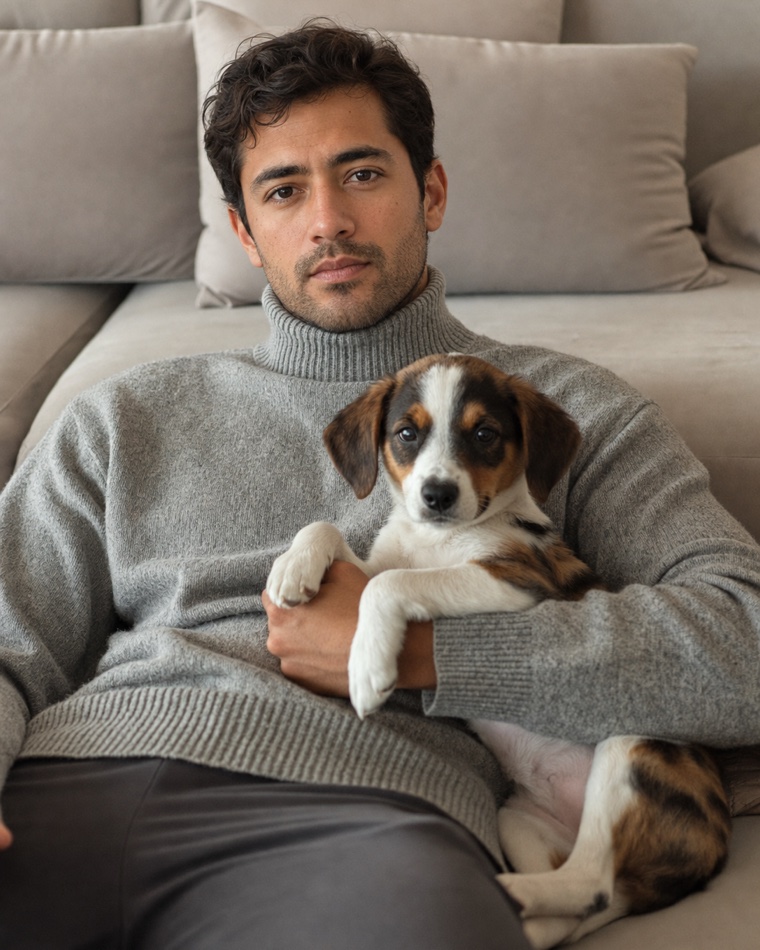
Choose the opener before using Top Photo
Your manual opener must pass five gates: current likeness, solo identity, visible eyes, clean focus and a crop that keeps the face easy to read. Test it on a phone, not only on a large monitor. The dedicated first-photo chooser explains the pairwise comparison if you have two or three finalists.
Hinge says its optional Top Photo feature uses a machine-learning model to predict which uploaded photo is most likely to receive a Like, puts that image first and continues testing and reordering. The public and Match-list order can differ from the order shown in Edit or View Profile. Hinge also says Top Photo does not collect, store, access or process facial geometry or biometric data.
Use Top Photo only after every candidate is safe to lead. It cannot know whether a borrowed dog, invented AI location or five-year-old haircut is misleading. Turn it on for a defined trial only when the eligible openers are all current and clear. Record the date and do not change prompts, preferences and several photos at the same time. If you make many changes together, you cannot tell what mattered.
Give a photo one truthful comment seed
A comment seed is a visible detail that supports a real question. It is not a caption engineered to manipulate people. Good seeds are specific enough to understand and ordinary enough to explain honestly: a dish you cooked, a trail you walk, a neighbourhood you know, an instrument you play or a pet that is actually part of your life.
| Photo | Possible honest question | Answer you must be able to give | Reject when |
|---|---|---|---|
| Cooking one recognisable dish | What are you making? | The dish, why you make it and what happened next | The kitchen or skill is invented |
| A real local walk or viewpoint | Where is that? | The location and why you go there | The place was generated or you have never visited |
| Playing or practising something | How did you start? | Your actual experience, even if you are a beginner | The prop only creates a false identity |
| Your dog or a dog you genuinely know | What is their name? | Your real relationship to the animal | The animal was borrowed or invented without disclosure |
| A consented social moment | What was the occasion? | The real event without exposing private details | You are hard to identify or others did not consent |
Write the truthful answer before uploading the image. If the answer would begin with “actually, that never happened,” the frame fails. For pet-specific choices, use the dog-photo honesty check.

Pair Photo Prompts and text prompts without repetition
Hinge currently allows three displayed text-prompt answers. Its help page also describes optional Photo Prompts, which pair a selected prompt with one of your photos. A Photo Prompt can supply a little context, but it should not do the work of repairing a confusing or inaccurate photograph.
Map the full profile on one sheet before editing the app. Write the fact carried by every photo and every prompt in a short phrase. If “I love travel” appears in a holiday picture, a plane-window image and a prompt, two of those spaces are being wasted. Keep one specific travel story, then use the freed spaces for humour, values, everyday routine or relationship intentions that photographs cannot show cleanly.
- Photo: show the verifiable scene or action.
- Photo Prompt: add one piece of context that is not visible.
- Text prompt: reveal a different dimension, not the same noun.
Preview the profile using Hinge's View control. Read it from top to bottom as a stranger would. Remove repeated facts, unexplained jumps and any photo whose caption is doing more credibility work than the image.
Understand what Convo Starters does and does not prove
Hinge says Convo Starters can show suggestions inspired by public profile photos, prompt answers and pronouns in supported regions. The suggestions may appear after someone Likes selected content or before the first chat message. Hinge reports that 72% of daters in its research are more likely to consider a potential match when a Like includes a message, but the help page does not publish the sample, field dates or full method for that figure. Treat it as Hinge's own research claim, not as a universal causal result.
Hinge also says the feature may omit selfies, group photos, sensitive content, Voice, Video and Poll Prompts. For generation, it sends the relevant public profile content to OpenAI under Hinge's instructions; Hinge says OpenAI cannot use it to train models and deletes that transferred data within 30 days. Hinge retains the generated Convo Starters consistently with account data. Users can opt out in the app.
The practical conclusion is modest: make a real human's question easy even if the feature never appears. Do not add personal addresses, work-access details, children's identifying information or other private material merely to create a more specific prompt.
Separate a normal opener from a verification photo
Hinge's Selfie Verification instructions require at least one profile photo with a crisp, unfiltered, front-facing view of the user's face, with no sunglasses and no other subject, for that verification process. Its troubleshooting advice is stricter still. Those rules help Hinge compare identity; they are not a published general feed crop, a style requirement or proof that a plain-wall image receives more Likes.
Your opener can satisfy recognition while still feeling like a real portrait. Keep an eligible verification image available if you choose to verify, but do not turn every slot into an ID photograph. Hinge warns that changing profile photos after verification may lead to loss of verification and a need to retry.
Apply Hinge's content rules before judging aesthetics
Hinge's current policy prohibits material used without permission, misleading AI-generated or otherwise manipulated content, and several categories of unsafe or inappropriate material. A technically beautiful image still fails if the identity, body, location, activity, relationship or ownership it implies is false.
- Identity: the face, apparent age, hair and body remain current enough for an in-person meeting.
- Context: the place, activity, pet, clothing and objects do not manufacture a life you do not live.
- Permission: people, private locations, brands and copyrighted material are used only when you have the right to show them.
- Privacy: crop or replace visible addresses, badges, tickets, vehicle numbers, work screens and children's identifying details.
- AI: reject generated frames that change material facts. Use the AI dating-photo authenticity guide before publishing.
Run the 15-minute Hinge profile audit
- Minute 0–3: recognition. View every photo at phone-card size. Remove blurry, old, hidden-face and “which person?” frames.
- Minute 3–6: role labels. Label each survivor opener, body, activity, everyday, social or distinctive. Remove duplicates before adding new photos.
- Minute 6–9: truth. Say aloud what every frame appears to claim. Replace anything you could not explain comfortably on a first date.
- Minute 9–12: reply paths. Write one sincere question for each context frame. A clear opener can be recognition-only; later filler cannot.
- Minute 12–15: profile flow. Preview photos and prompts together. Remove repeated facts and check that the profile still makes sense if Top Photo changes the first image.
If you are missing a role, do not use a near-duplicate to hide the gap. Plan one controlled replacement with the solo phone workflow, the friend-shoot brief or the natural-pose plan.
Test one change without pretending it proves causation
Choose the weakest role, replace only that item and note the date. Keep a simple record of which photo receives Likes or comments if Hinge exposes that information to you. Review after enough normal use to avoid reacting to one quiet day. Do not claim that a change “worked” merely because the next Like arrived; location, preferences, activity, timing and other profile changes can all move together.
If Top Photo is on, remember that the order other people see may differ from your editor. If you are testing a manual order, turn Top Photo off during that defined test. Never repeatedly delete and recreate the account to force a result. If the whole profile is quiet, use the no-matches diagnostic to separate visibility, preference, profile and photo questions.
Fix the failure you can actually observe
| Observed failure | First repair | Do not assume |
|---|---|---|
| Every image is a close portrait | Replace one with honest body or activity context | That a new background alone creates variety |
| People cannot identify you in a group | Move it later or replace it with a clearer consented moment | That a caption removes visual ambiguity |
| Photos and prompts repeat one hobby | Keep the most specific item and free the others | That repetition proves passion |
| Top Photo selects an unclear frame | Remove that image from the eligible set or turn the feature off | That automation validates truth or quality |
| A generated scene looks impressive but false | Replace it with a truthful real or generated context | That polish makes misrepresentation acceptable |
| No comments arrive | Check whether later frames contain specific reply paths | That Hinge suppressed the account or one photo caused the result |
Final Hinge release checklist
- The required four to six photo slots in your version of Hinge are complete.
- The first image makes your current identity clear without a group or hidden eyes.
- Every later image adds a different role, fact, setting, expression or reply path.
- Photos, Photo Prompts and the three text prompts do not repeat the same information.
- Every person, pet, activity, place and object can be explained truthfully.
- Other people consented and private details are not visible.
- Every possible Top Photo candidate is safe and clear enough to appear first.
- No photograph claims a match rate, status or lifestyle that the image cannot prove.
Official sources and limits
- Hinge: How do I edit my profile?, updated 28 July 2026 and checked 4 September 2026; establishes the current local four-to-six-photo requirement and three prompts, not one ideal lineup.
- Hinge: What is Top Photo?, updated 29 June 2026 and checked 4 September 2026; describes optional prediction and reordering, not the complete ranking system.
- Hinge: How do I edit my Prompts?, updated 26 January 2026 and checked 4 September 2026; establishes three displayed prompts and optional Photo Prompts.
- Hinge: What are Convo Starters?, updated 7 August 2026 and checked 4 September 2026; feature descriptions and Hinge's own research statement are not causal proof for a photo type.
- Hinge: What is Selfie Verification?, updated 14 July 2026 and checked 4 September 2026; verification requirements are not general feed specifications.
- Hinge: Prohibited Content & Behavior, updated 29 June 2026 and checked 4 September 2026; content policy does not predict moderation or engagement for an individual image.
Frequently asked questions
How many photos does a Hinge profile need?
Hinge says members are required to have between four and six photos, depending on local requirements, along with three prompt answers. Use each photo to add different information rather than filling slots with similar selfies.
What is Hinge Top Photo?
Top Photo uses a machine-learning model to predict which uploaded photo is most likely to receive a Like and puts it first. Hinge says it continues testing and may show a different public order from your editor; it does not validate whether a photo is current or truthful.
What kind of Hinge photos get comments?
Specific real contexts can make a sincere question easier: an activity, food, a recognisable place, a pet you know or a genuine occasion. Hinge does not publish proof that one of these photo types guarantees comments or matches.
Should Hinge photos and prompts say the same thing?
No. Use photos and prompts to add different, compatible information. If a photo already shows a hobby, use a prompt for a specific story, value, humour or relationship intention rather than repeating the hobby.
Can AI-generated photos be used on Hinge?
Hinge's policy prohibits misleading AI-generated or otherwise manipulated content. Any generated photo should preserve your current identity and avoid inventing a place, activity, relationship, body or lifestyle.
Does Hinge publish the best photo order for men?
No. Hinge publishes feature and profile guidance, but not a universal slot order or complete ranking formula. Use a clear opener, give later frames distinct roles and test one honest change at a time.
Do Hinge verification-photo rules apply to every profile photo?
No. Hinge's crisp, unfiltered, front-facing photo requirements are stated for Selfie Verification. They do not establish a universal feed crop, style rule or engagement benefit for every slot.
How do I audit my Hinge photos?
Check recognition first, label each photo's role, remove repeated facts, verify every implied context, write one possible sincere question for later photos and preview photos with prompts before publishing.
Need distinct Hinge roles, not polished filler?
Matchframe builds a varied dating-photo library from one current identity so you can screen each candidate for recognition, context and truth before posting.
Open MatchframeAlso worth reading
- Bumble profile photos for men
Four to six roles, Best Photo limits, prompts and truth checks - Matchframe vs DatePhotos.AI
Price, output, delivery, refunds and data retention - Choose the best first dating-app photo
Five rejection gates and a pairwise phone-size chooser - Dating-profile photo mistakes men can fix
A repair-order audit instead of random tips